What Is Midjourney?
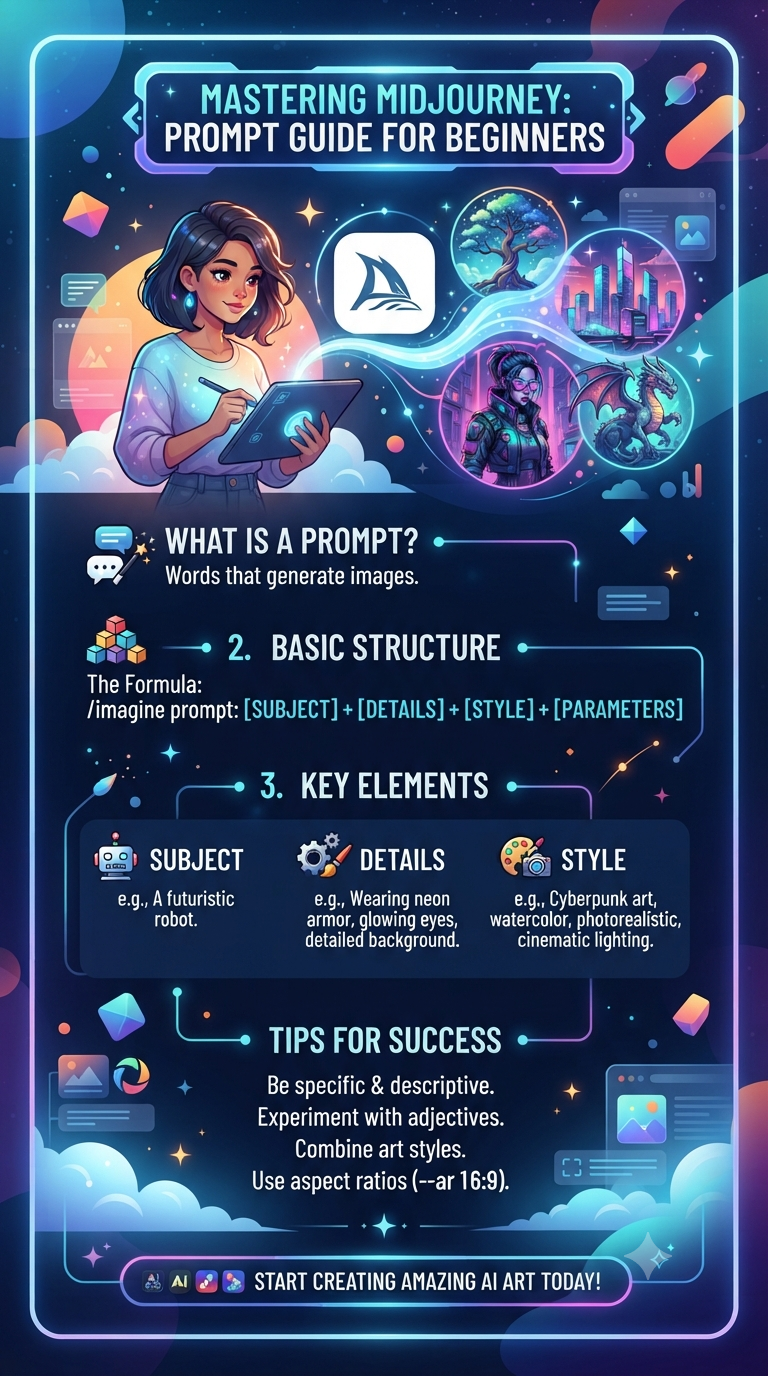
Midjourney is an AI image generator that creates stunning visuals from text prompts. Unlike DALL-E or Stable Diffusion, Midjourney is known for its artistic quality, cinematic lighting, and consistent aesthetic.
This beginner's guide covers everything you need to start creating beautiful images: prompt structure, parameters, styles, and common mistakes.
How Midjourney Works
You type a prompt in Discord (or the Midjourney web app), and Midjourney generates 4 image variations. You can then upscale, vary, or remix them. The quality of your prompt directly determines the quality of your images.
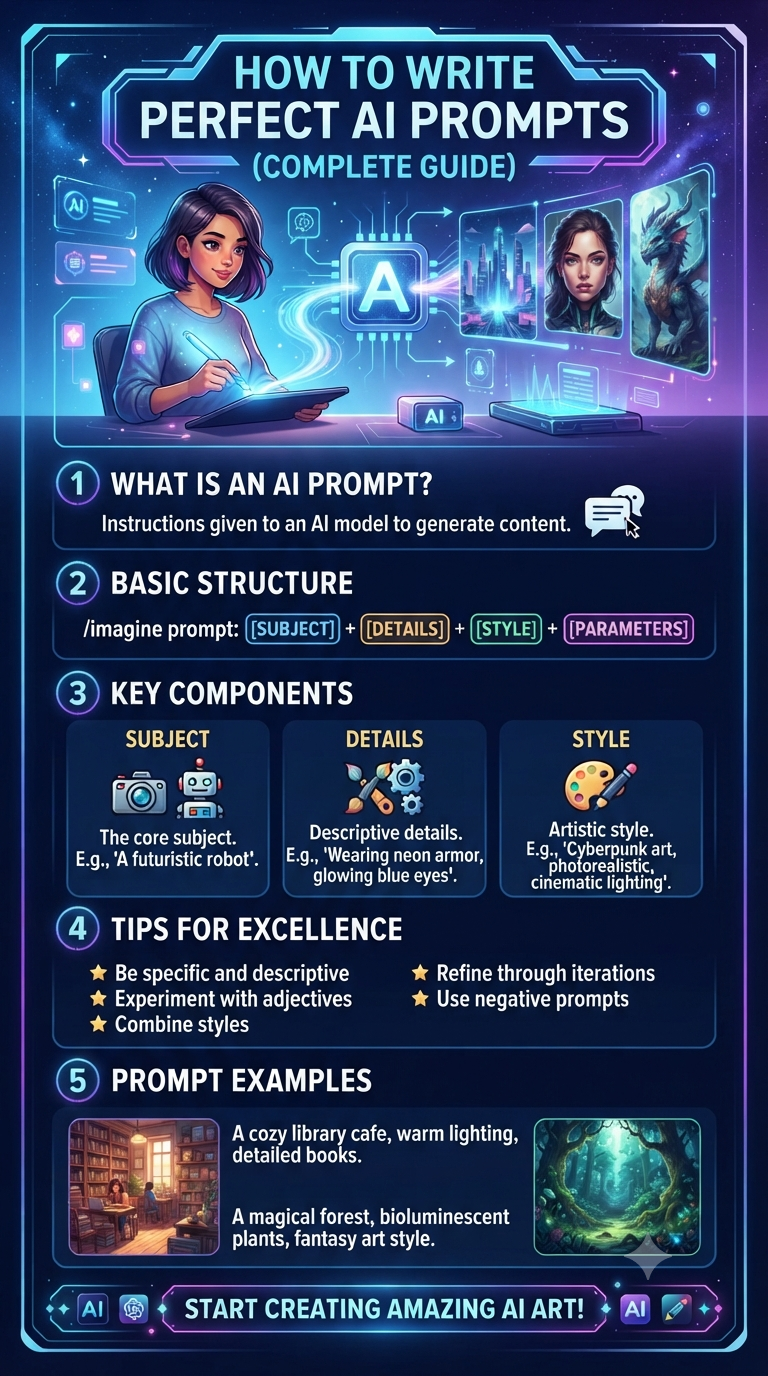
The Anatomy of a Midjourney Prompt
A strong Midjourney prompt has 6 parts:
1. Subject
What is the main focus? Be specific.
Weak: 'a cat'
Strong: 'a fluffy orange tabby cat sitting on a windowsill'
2. Action or Pose
What is the subject doing?
Example: 'looking out at a rainy city street'
3. Environment
Where is the scene? What's the setting?
Example: 'in a cozy apartment with warm lighting'
4. Style
What artistic style? Photography, painting, 3D render, anime, etc.
Example: 'cinematic photography, 35mm film, shallow depth of field'
5. Lighting
Lighting dramatically affects mood.
Examples: 'golden hour, dramatic shadows, soft diffused light, neon glow'
6. Parameters
Technical settings at the end of your prompt.
Examples: '--ar 16:9 --v 6 --style raw'
Combining It All: A Complete Prompt
Basic: 'a cat'
Detailed: 'a fluffy orange tabby cat sitting on a windowsill, looking out at a rainy city street, cozy apartment interior, warm lamp lighting, cinematic photography, 35mm film, shallow depth of field, moody atmosphere --ar 16:9 --v 6'
The second prompt will produce dramatically better results.
Essential Midjourney Parameters
--ar (Aspect Ratio)
Controls image dimensions.
- --ar 16:9 (widescreen, YouTube thumbnails)
- --ar 9:16 (vertical, TikTok, Reels)
- --ar 1:1 (square, Instagram)
- --ar 3:2 (standard photography)
--v (Version)
Specifies the model version. Always use the latest (--v 6 or --v 6.1).
--style
--style raw produces more photographic, less stylized results.
--stylize (or --s)
Controls how artistic Midjourney is. Range: 0-1000. Default: 100.
- --s 50 (more literal)
- --s 250 (balanced)
- --s 750 (more artistic)
--chaos (or --c)
Controls variation between the 4 generated images. Range: 0-100.
- --c 0 (similar results)
- --c 50 (varied)
- --c 100 (very different)
--no
Excludes elements. Example: '--no text, watermark, blur'
--seed
Use the same seed to reproduce similar images.
10 Styles You Can Reference
- Cinematic: 'cinematic still, movie scene, dramatic lighting'
- Photorealistic: 'photorealistic, 8k, highly detailed, sharp focus'
- Oil Painting: 'oil painting, impasto, classical style'
- Watercolor: 'watercolor painting, soft washes, paper texture'
- Anime: 'anime style, Studio Ghibli inspired, cel shaded'
- 3D Render: '3D render, octane, unreal engine, hyperrealistic'
- Cyberpunk: 'cyberpunk, neon, futuristic, dystopian'
- Minimalist: 'minimalist, clean lines, negative space'
- Vintage: 'vintage, retro, 1970s film photography'
- Fantasy: 'fantasy art, epic, magical, detailed illustration'
Lighting Keywords That Transform Images
- Golden hour: warm, soft, romantic
- Blue hour: cool, moody, cinematic
- Rembrandt lighting: dramatic, portrait-style
- Neon glow: cyberpunk, urban, vibrant
- Soft diffused: gentle, flattering, natural
- Harsh shadows: dramatic, high contrast
- Backlit: silhouette, rim light, atmospheric
- Candlelight: warm, intimate, cozy
Common Beginner Mistakes
Mistake 1: Being Too Vague
'A beautiful landscape' produces generic results. Be specific: 'a misty mountain valley at sunrise, pine trees, a winding river, golden light.'
Mistake 2: Overloading the Prompt
Too many conflicting elements confuse Midjourney. Focus on 1-2 main subjects.
Mistake 3: Ignoring Aspect Ratio
Using the wrong --ar ruins composition. Match --ar to your intended use.
Mistake 4: Not Using --no
Exclude unwanted elements: '--no text, logo, watermark, blur, distortion.'
Mistake 5: Forgetting Style Keywords
Without style keywords, Midjourney defaults to a generic aesthetic.
Mistake 6: Using Vague Adjectives
'Beautiful' and 'amazing' do nothing. Use specific descriptors: 'moody,' 'vibrant,' 'ethereal,' 'gritty.'
Mistake 7: Not Iterating
Your first generation is a starting point. Use variations, remix, and refine.
10 Starter Prompts to Try
- 'A cozy cabin in a snowy forest, warm light from windows, smoke from chimney, twilight, cinematic --ar 16:9'
- 'Portrait of an elderly fisherman, weathered face, kind eyes, natural light, photorealistic --ar 3:2'
- 'Futuristic cityscape at night, neon signs, flying cars, rain-slicked streets, cyberpunk --ar 16:9'
- 'A cup of coffee on a wooden table, morning light, steam rising, shallow depth of field --ar 1:1'
- 'A dragon perched on a mountain peak, sunset, epic scale, fantasy art --ar 16:9'
- 'A ballerina in mid-twirl, dramatic stage lighting, dark background, elegant --ar 2:3'
- 'A vintage car on a desert highway, golden hour, dust trail, cinematic --ar 16:9'
- 'Underwater scene, coral reef, tropical fish, sunbeams through water, vibrant --ar 16:9'
- 'A wizard's library, ancient books, floating candles, magical atmosphere, fantasy --ar 3:2'
- 'A minimalist workspace, laptop, plant, natural light, clean aesthetic --ar 4:5'
Advanced Tips
Use Image Prompts
Upload a reference image and combine it with text: '[image URL] a cyberpunk version of this scene.'
Use the Remix Feature
Remix lets you change parts of a prompt while keeping the composition.
Combine Styles
Mix styles: 'watercolor meets cyberpunk' or 'Studio Ghibli meets film noir.'
Use Negative Prompts
'--no blur, distortion, text, watermark' cleans up output.
Final Thoughts
Midjourney rewards specificity. The more detailed and intentional your prompt, the better your images. Start simple, iterate, and study what works.
Get 200+ Midjourney prompt templates at aipromptstock.com.
Comments (0)
Leave a Comment